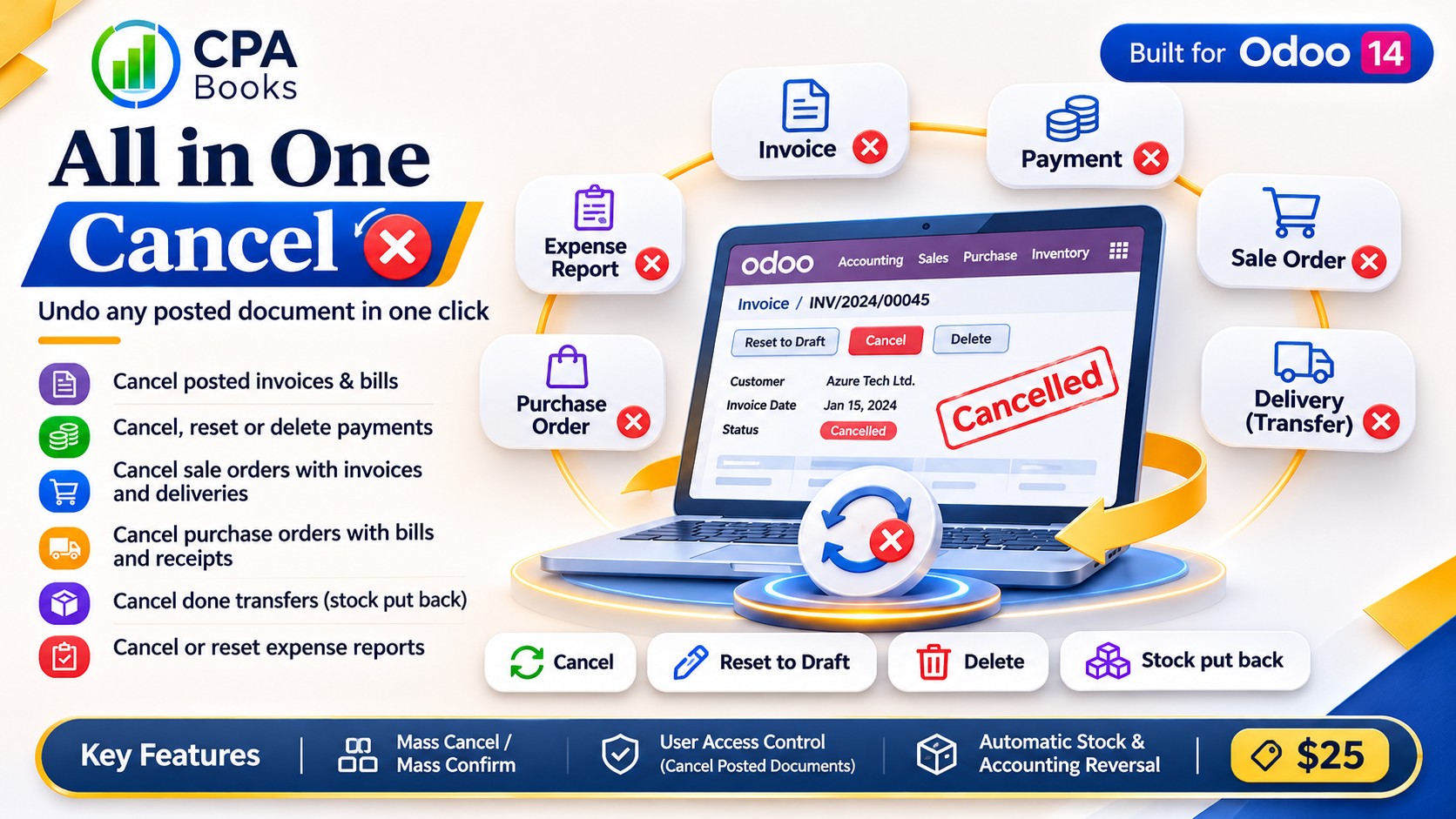
Undo any posted document in one click: invoices, payments, sale and purchase orders, done transfers and expense reports. Stock and accounting are reversed for you.
Description:
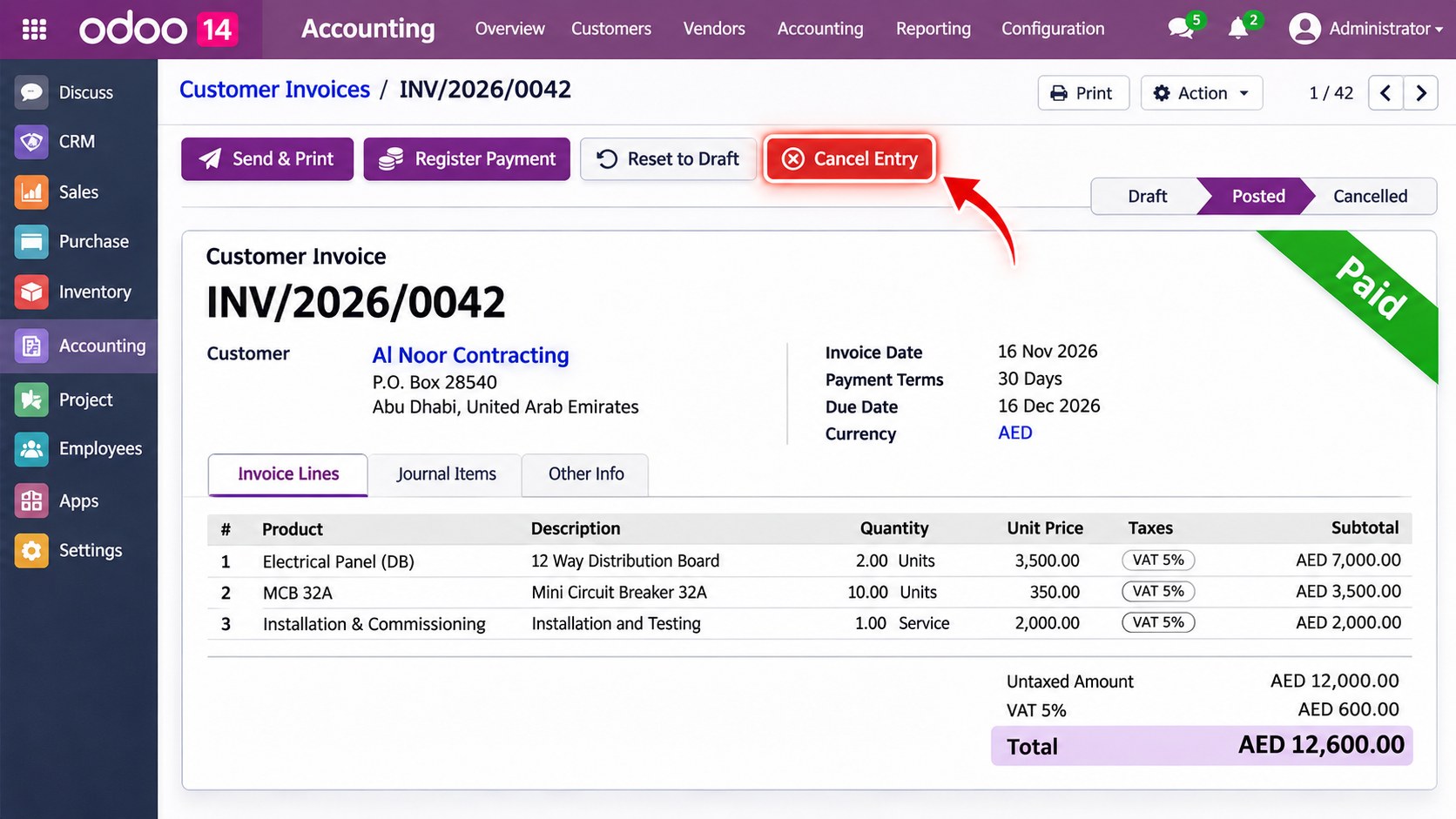
1. Cancel a Posted Invoice in One Click
Open any posted invoice, bill, credit note or journal entry and click Cancel Entry. Paid invoices work too: the payment is unreconciled first.
Cancel Entry buttonOn every posted invoice, bill and journal entry.
Auto unreconcilePayments are unlinked before the entry is cancelled.
2. Bulk Cancel From Any List
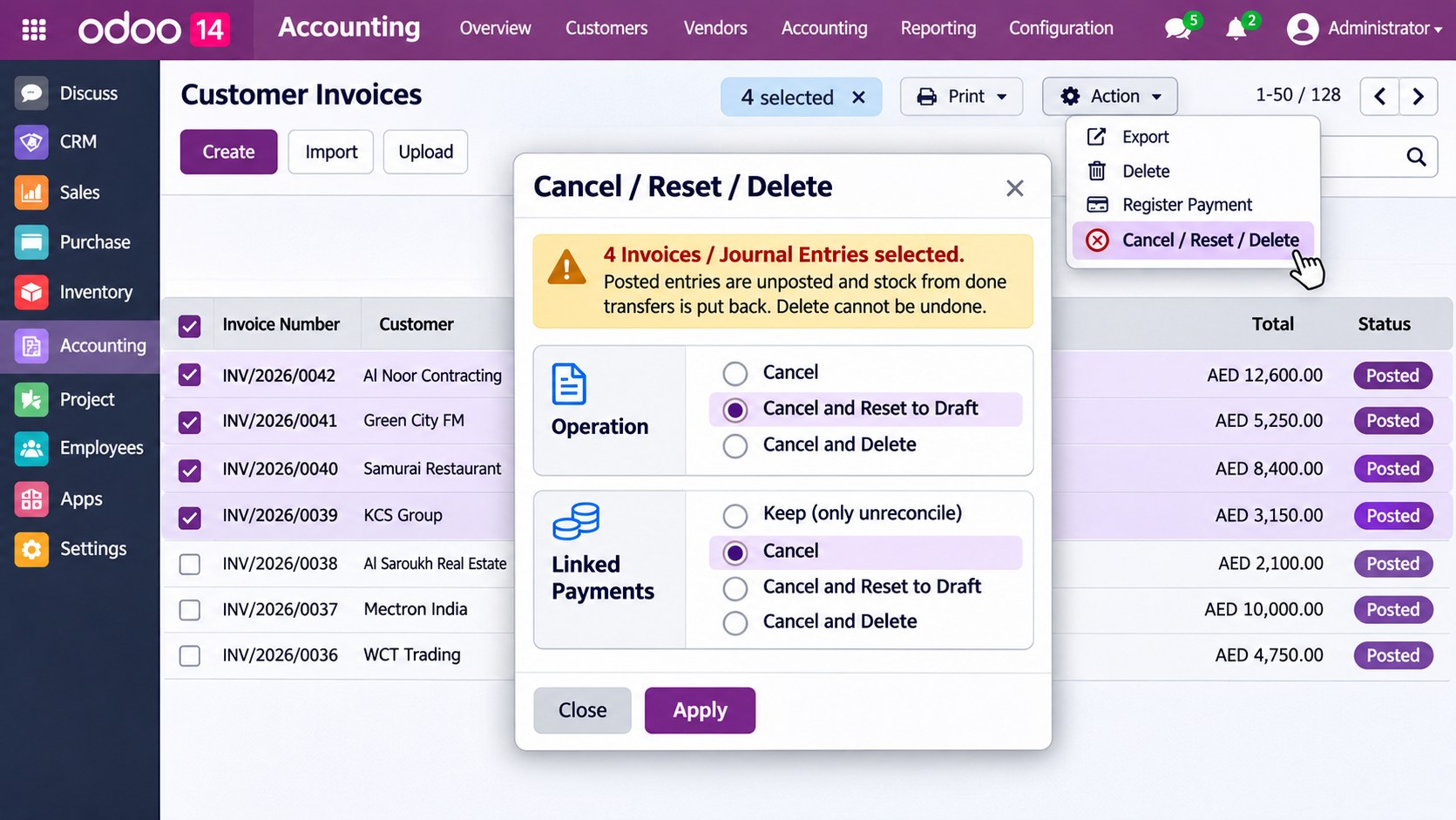
Select records, then Action > Cancel / Reset / Delete. Choose what happens to the documents and their linked payments.
Works on 6 document typesInvoices, payments, sale orders, purchase orders, transfers and expense reports.
Three modesCancel, Cancel and Reset to Draft, or Cancel and Delete.
3. Decide Once in Settings
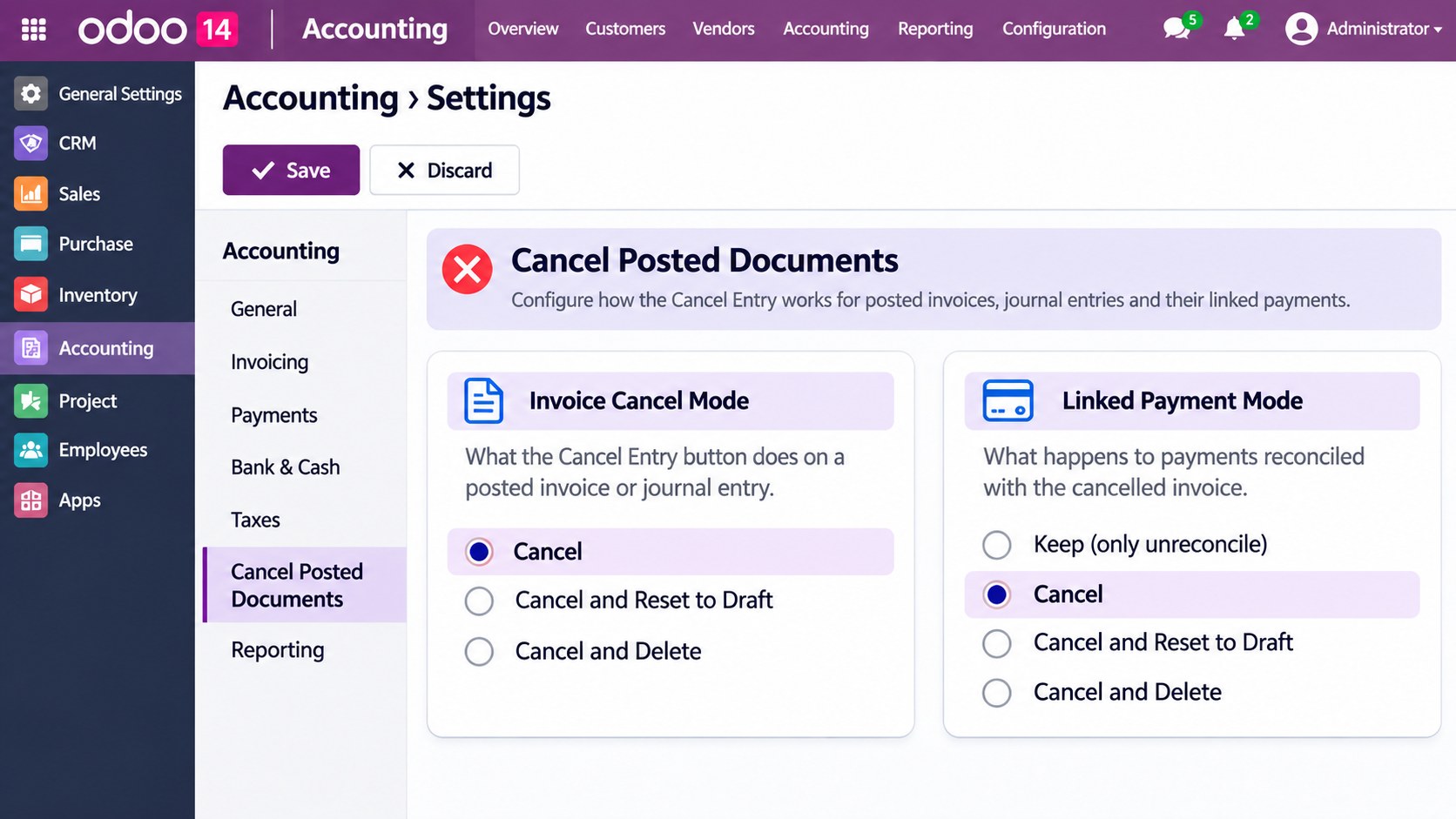
In Accounting > Settings, set what Cancel Entry does and what happens to linked payments. Each company has its own settings.
Invoice cancel modeCancel, Reset to Draft or Delete.
Linked payment modeKeep, Cancel, Reset to Draft or Delete.
4. Cancel Orders With Everything Linked
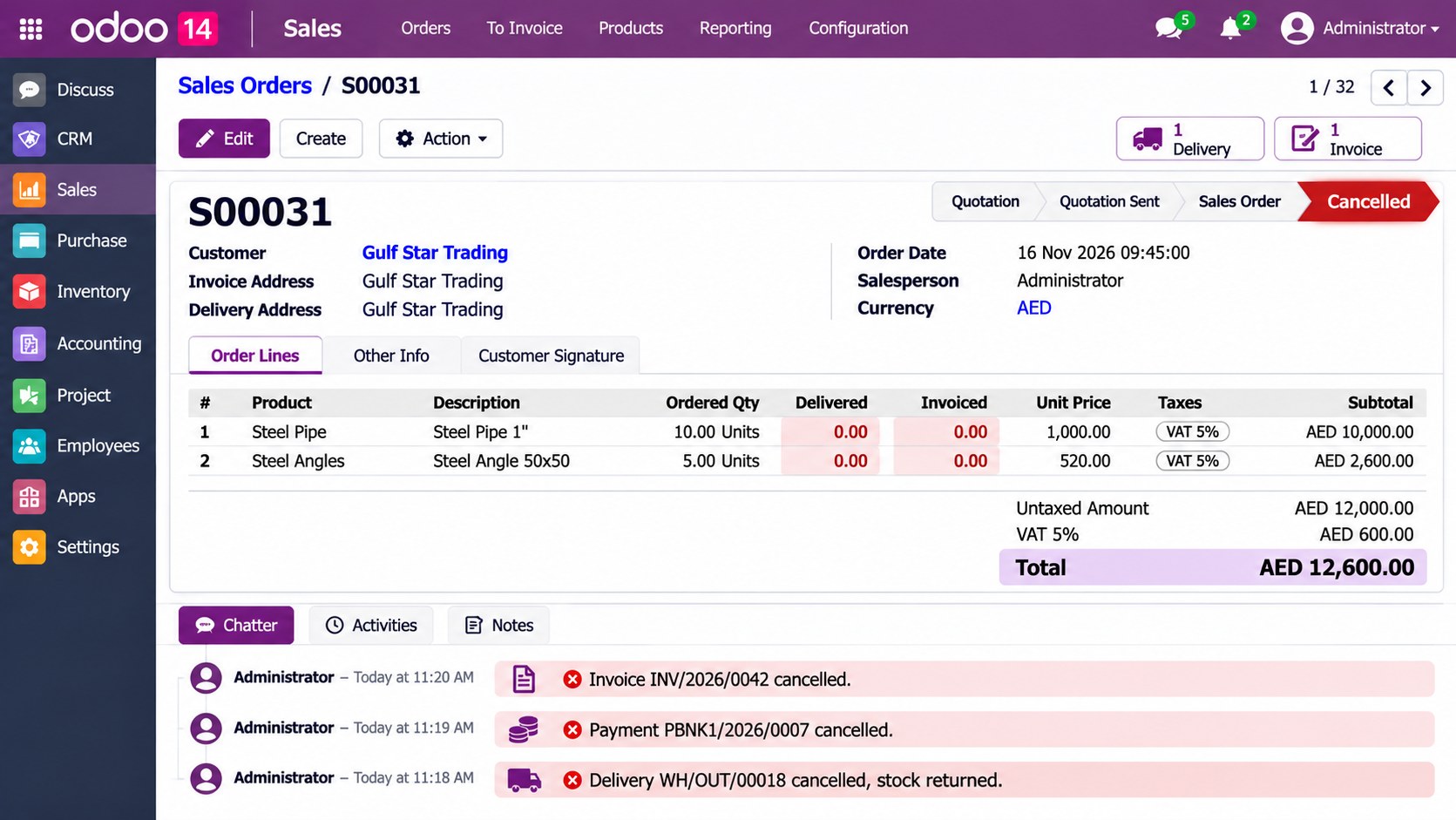
The standard Cancel button on a sale order also cancels its posted invoices, payments and done deliveries. Purchase orders work the same way.
Quantities resetDelivered, received and invoiced go back to 0.00.
Then reset to draftFix the order and confirm it again.
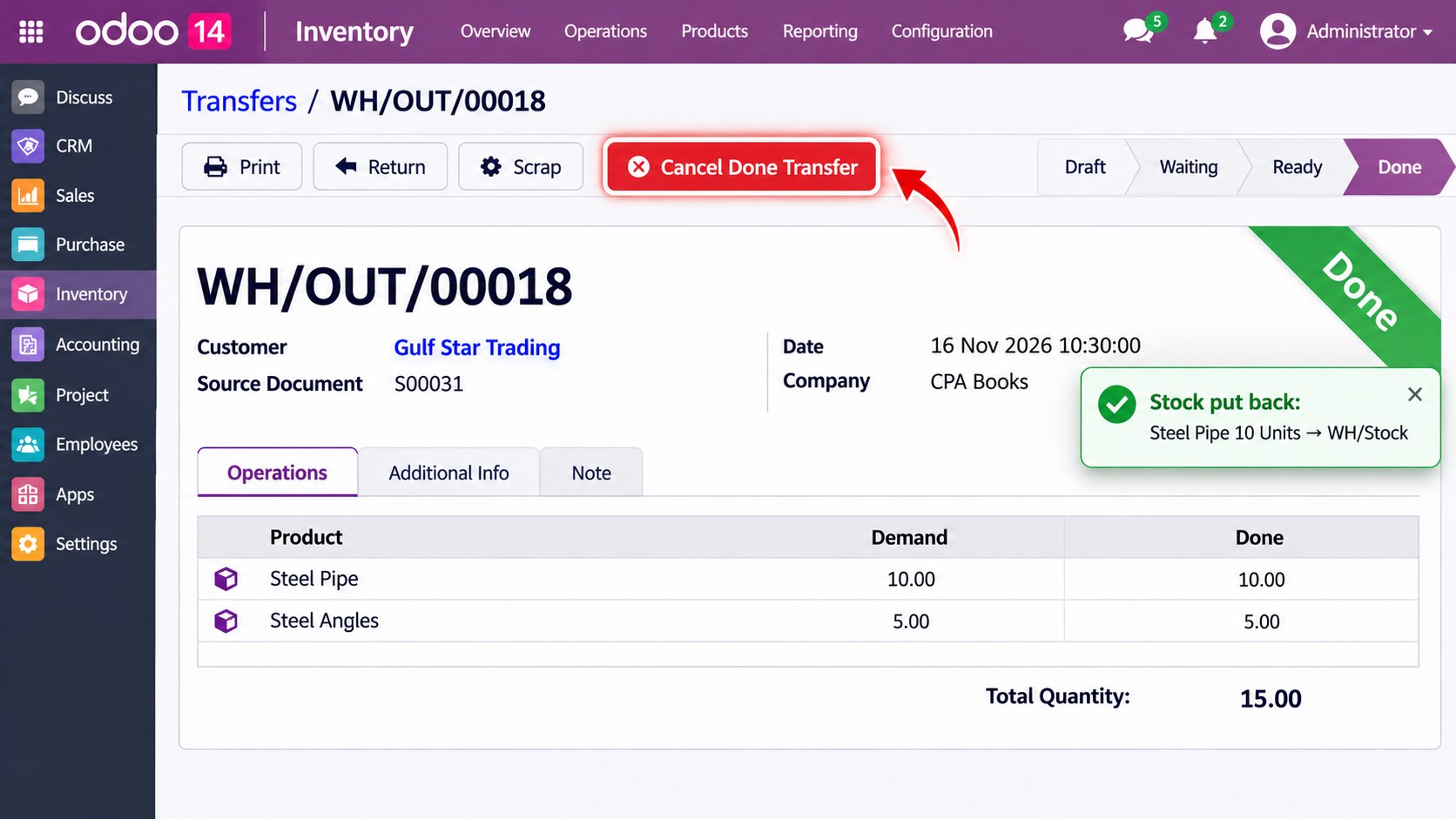
5. Cancel a Done Transfer, Stock Goes Back
On a done delivery or receipt, click Cancel Done Transfer. Quantities return to the source location and valuation entries are removed.