

Facility Management (CAFM)
You bought this module and need support? Click here
Saaskul CAFM
One place for facility management: AMC contracts, monthly billing, contract orders, service calls, VAR work, PPM visits and invoice follow-up, built for UAE FM teams.

Everything an FM office runs on
No more separate sheets for contracts, calls, quotations and invoices. Each area below is a real menu in the app.
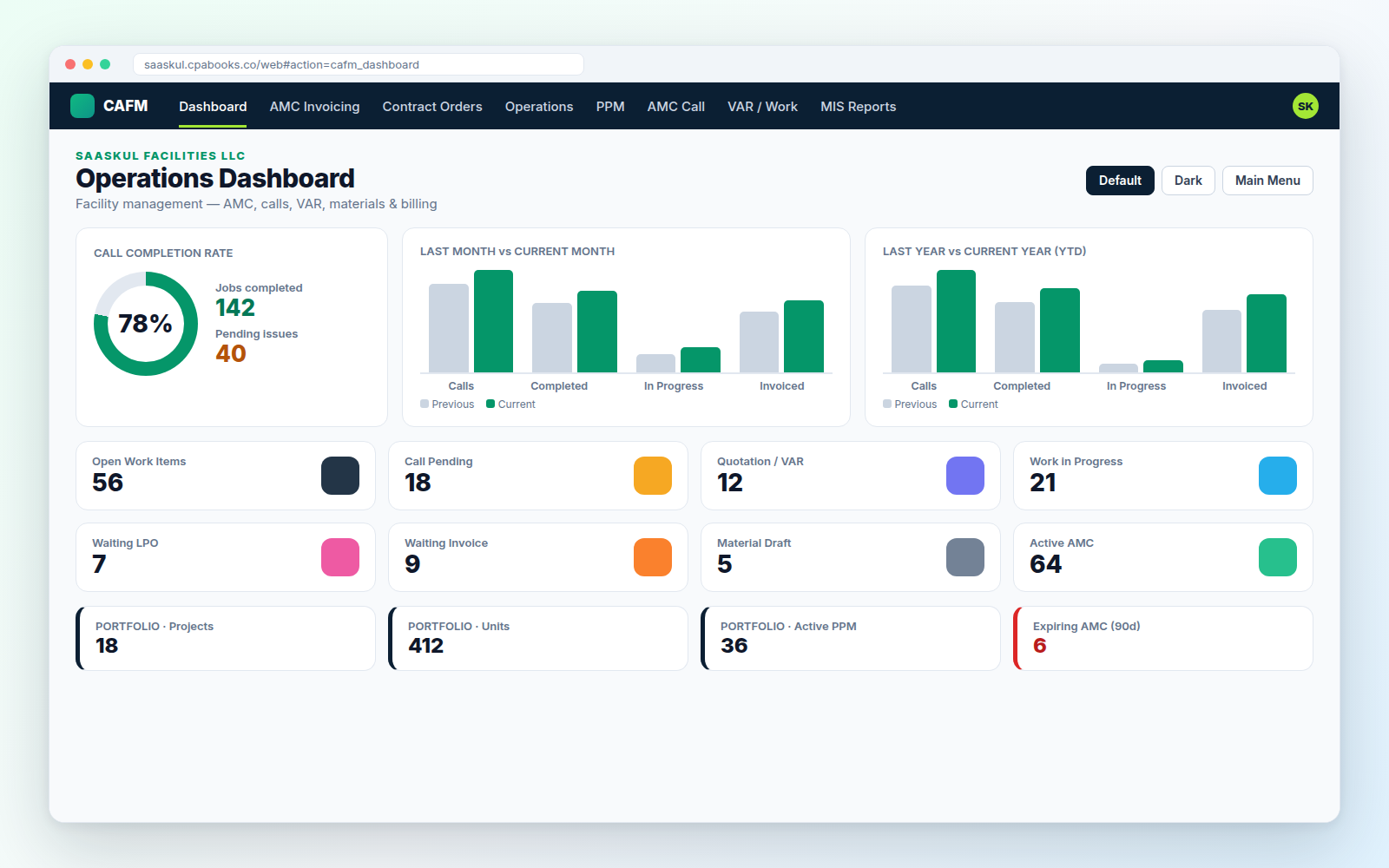
See the whole operation the moment you open CAFM
Call completion rate, this month against last month, this year against last year, and eight live counters. Click any number to open the matching list.
Every contract, every number, one form
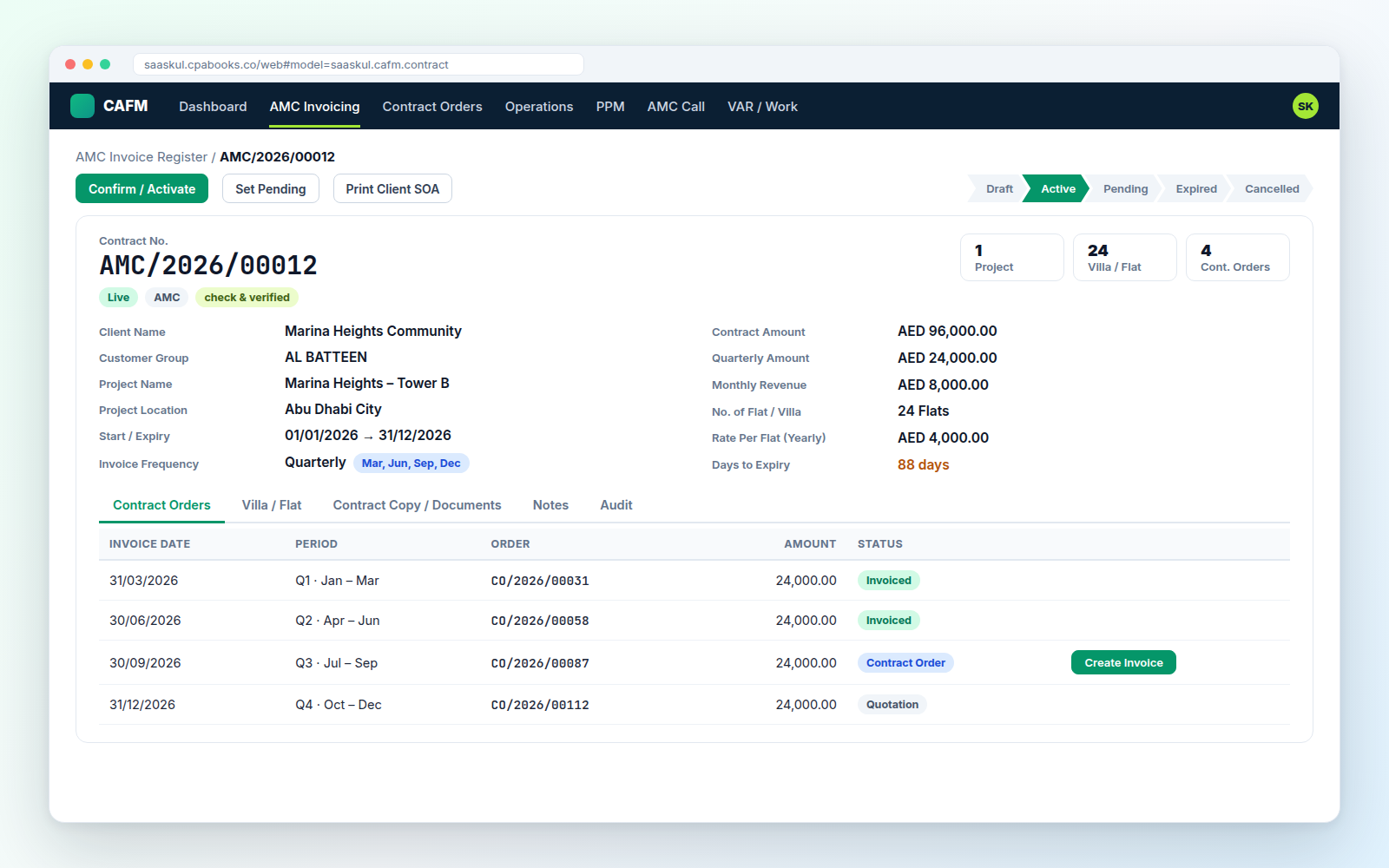
Contract numbers like AMC/2026/00012, start and expiry dates, client, project, villas or flats, and the invoicing plan. The amounts work themselves out.
| Invoice frequency | Monthly, Quarterly, Half Yearly, Annually |
| Calculated for you | Yearly, quarterly, monthly value, rate per flat, SQFT rate |
| Expiry | Start + contract years, with days to expiry |
| Villa / Flat | One click creates Flat-1001, Flat-1002… |
| Status | Draft, Active, Pending, Expired, Cancelled |
| Documents | Contract copy, notes and audit tabs |
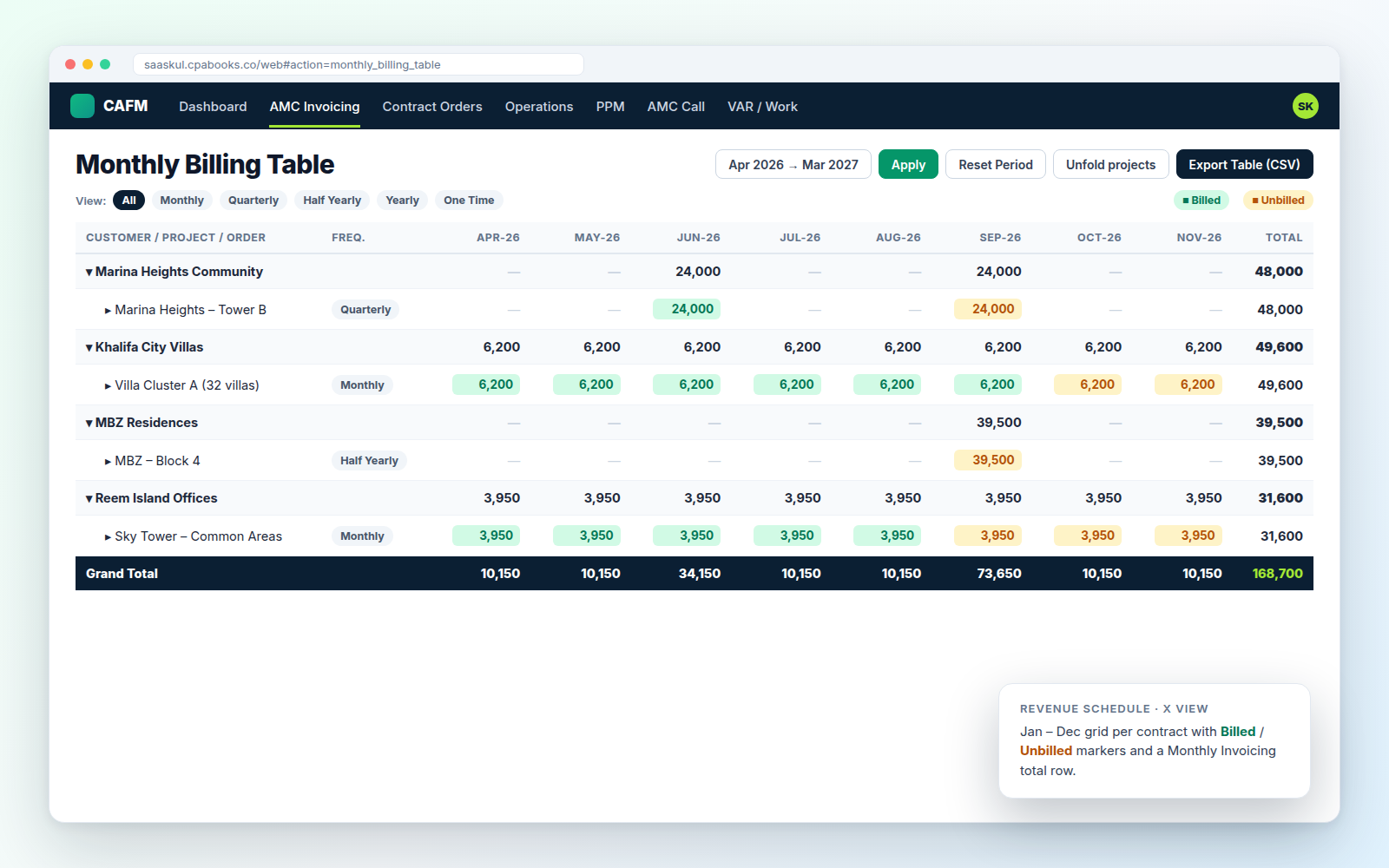
Know what is billed and what is not, month by month
The Monthly Billing Table lists customer → project → order with every month split into Billed and Unbilled. Filter by frequency and export to CSV.
The AMC Invoice Register adds an X View revenue schedule (Jan–Dec) and a print of “AMC Contracts To be Invoiced” for any month.
| Jan | Feb | Mar | Apr | May | Jun | Jul | Aug | Sep | Oct | Nov | Dec | |
| Monthly | ● | ● | ● | ● | ● | ● | ● | ● | ● | ● | ● | ● |
| Quarterly | ● | ● | ● | ● | ||||||||
| Half Yearly | ● | ● | ||||||||||
| Annually | ● |
From contract to invoice without missing a period
Each billing period becomes a contract order (CO/2026/00087). Overdue orders and orders due this month are flagged automatically.
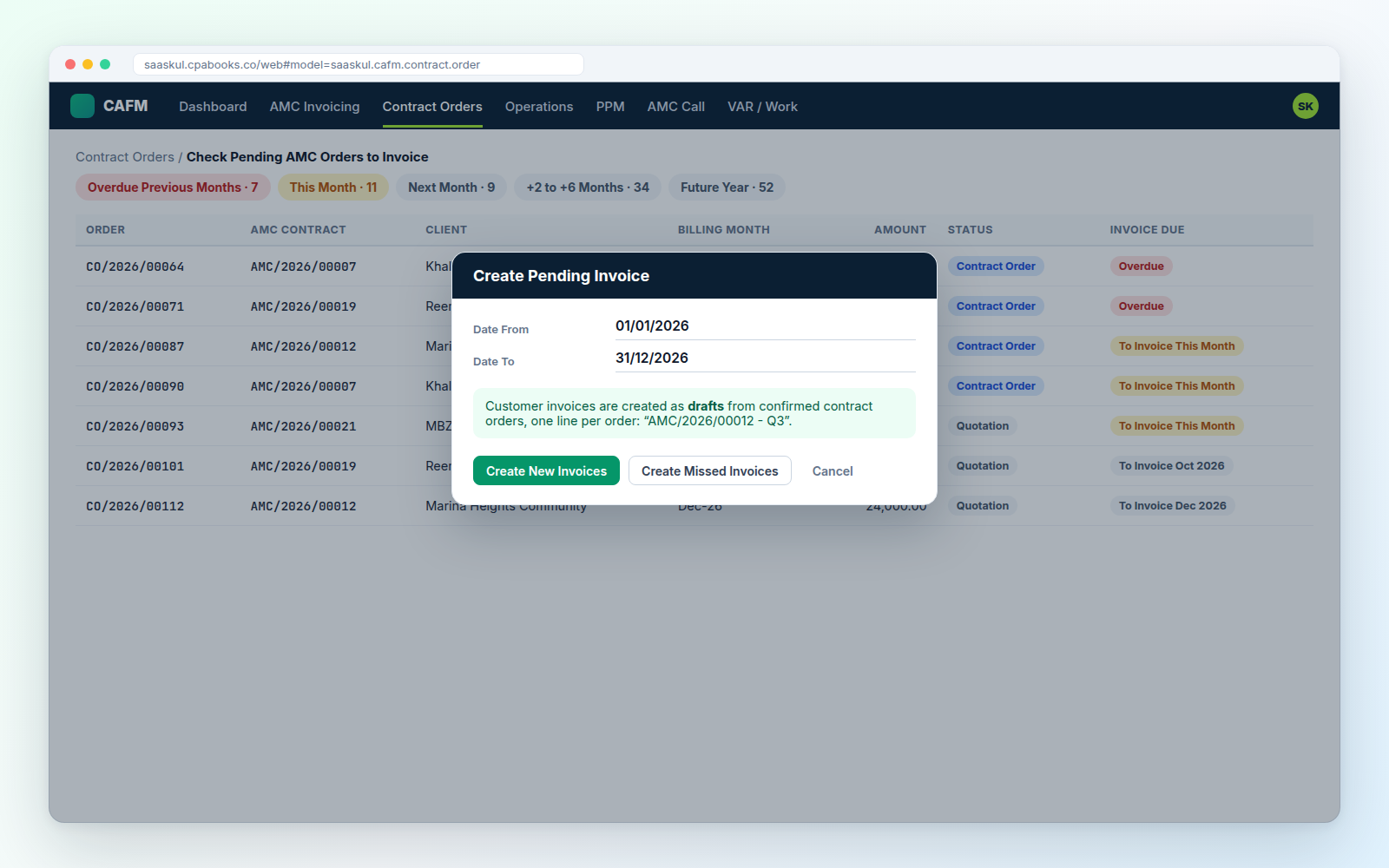
Plus Monitoring Cont. Order to Invoice: a 12-month financial-year view of orders, invoiced and pending.
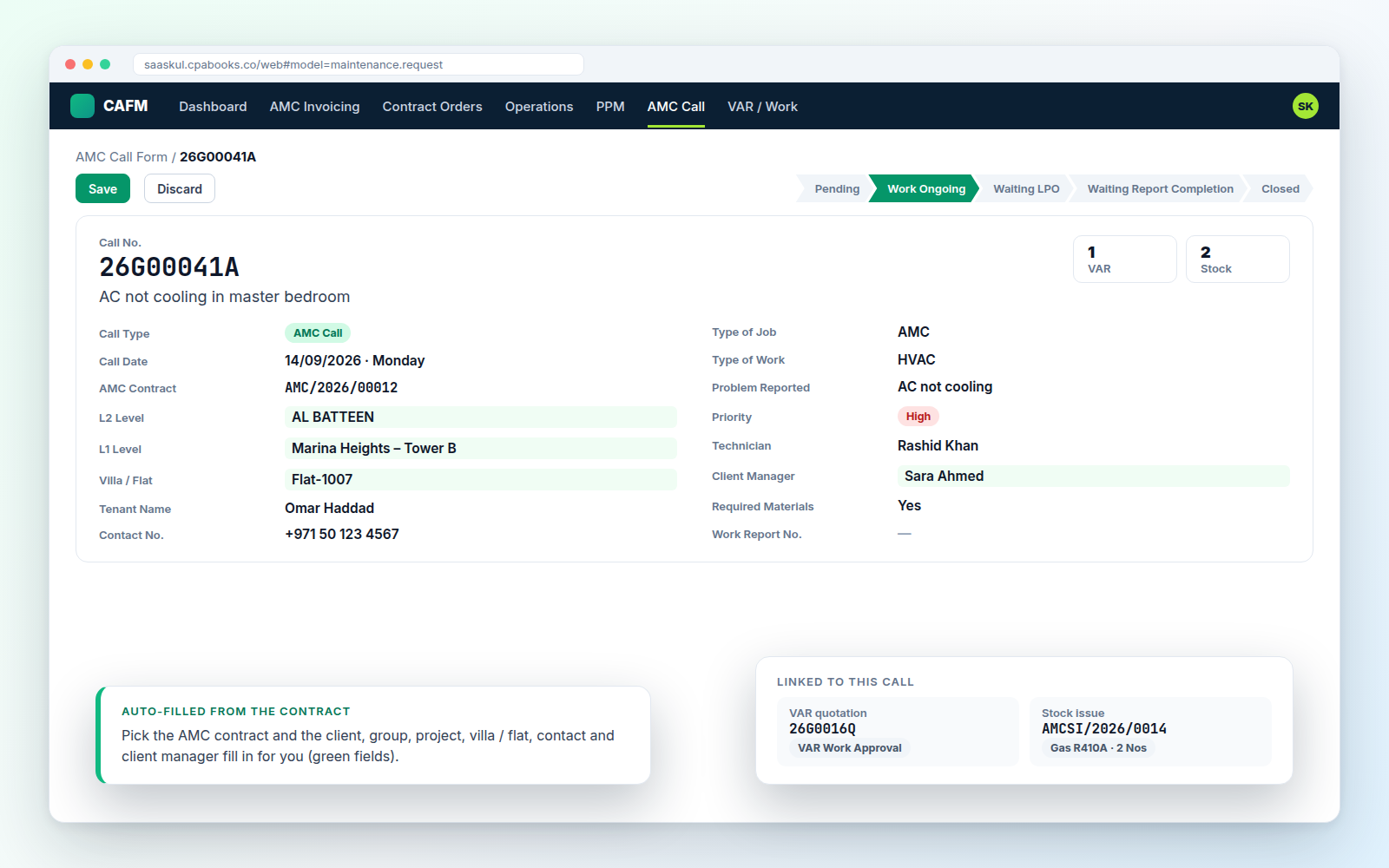
Log a call in seconds, follow it to closure
AMC, VAR and PPM calls get numbers like 26G00041A. Choose the contract and the client, project, flat and manager fill in.
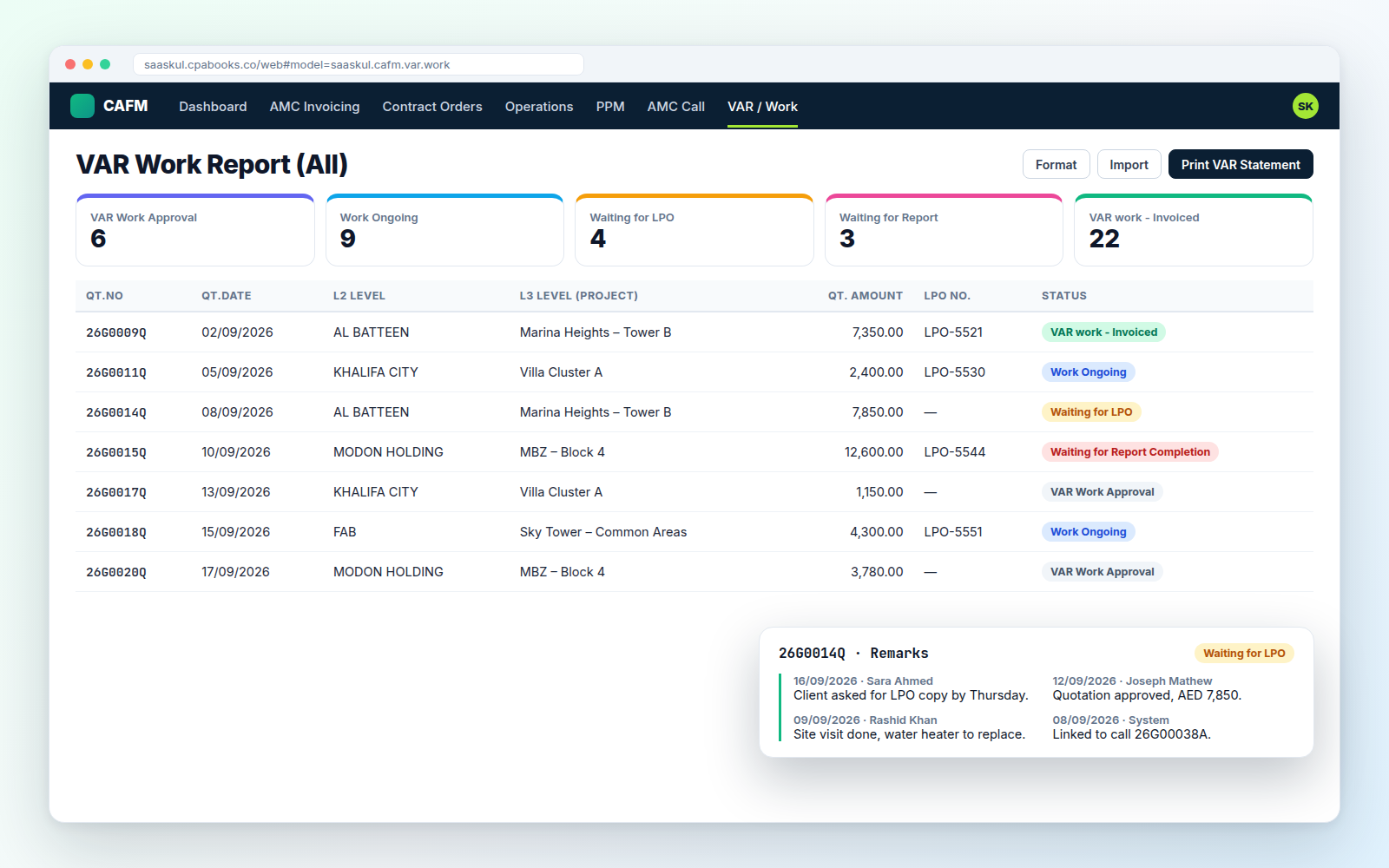
Extra work, tracked from quotation to invoice
Quotation, approval, LPO, completion report and invoice numbers on one line, with a remarks history so everyone sees the latest note.
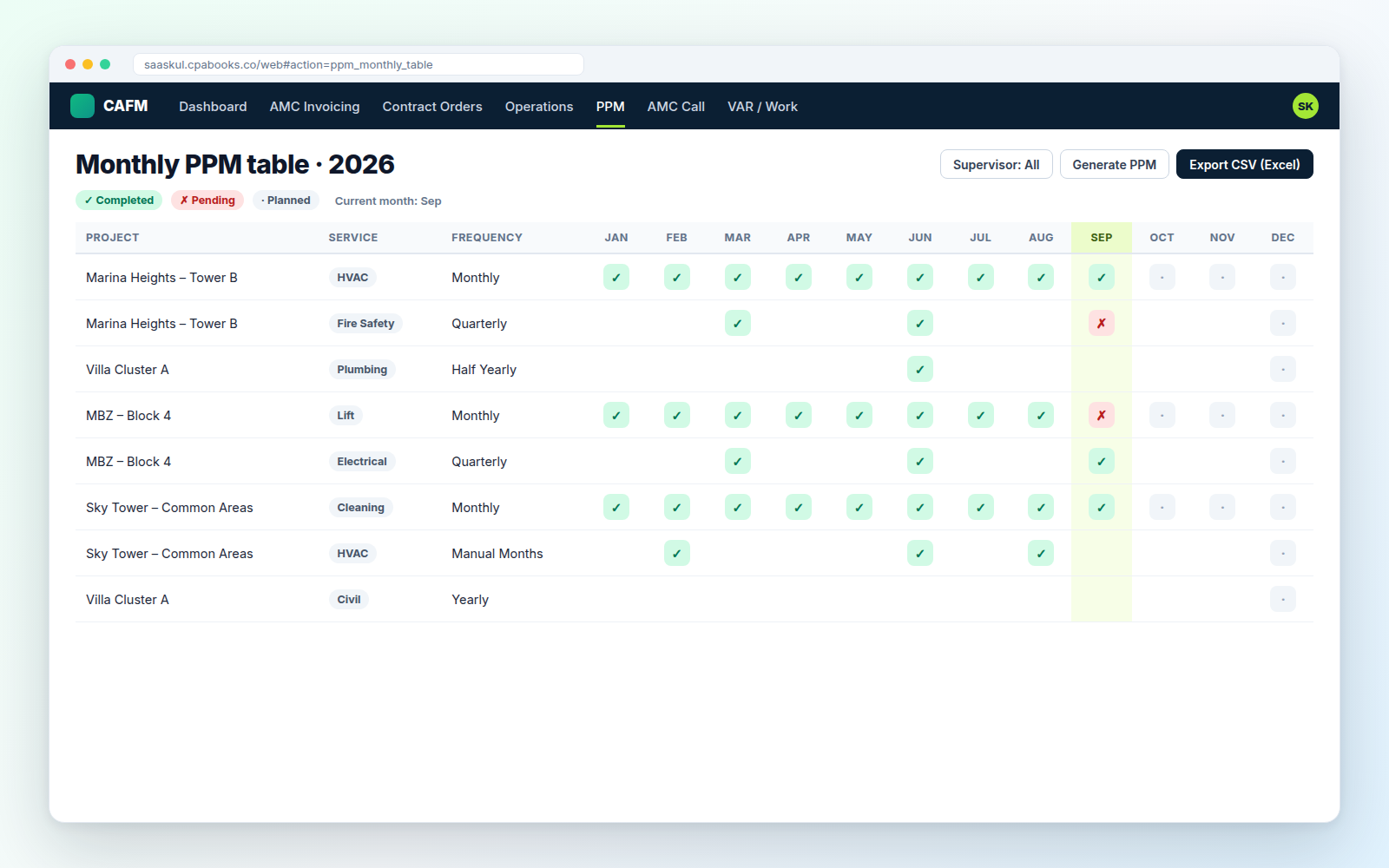
A year of visits, planned in one go
Set the frequency or tick the exact months, generate the year, then turn any month slot into a service call. The monthly table shows done and pending at a glance.
| Frequency | Visits a year |
| Monthly | 12 |
| Quarterly | 4 |
| Half Yearly | 2 |
| Yearly | 1 |
| Manual months | your pick |
Get AMC invoices accepted, not just sent
Many clients need KPI and CSR papers before they pay. Track every invoice by stage, with due days and who is following up.
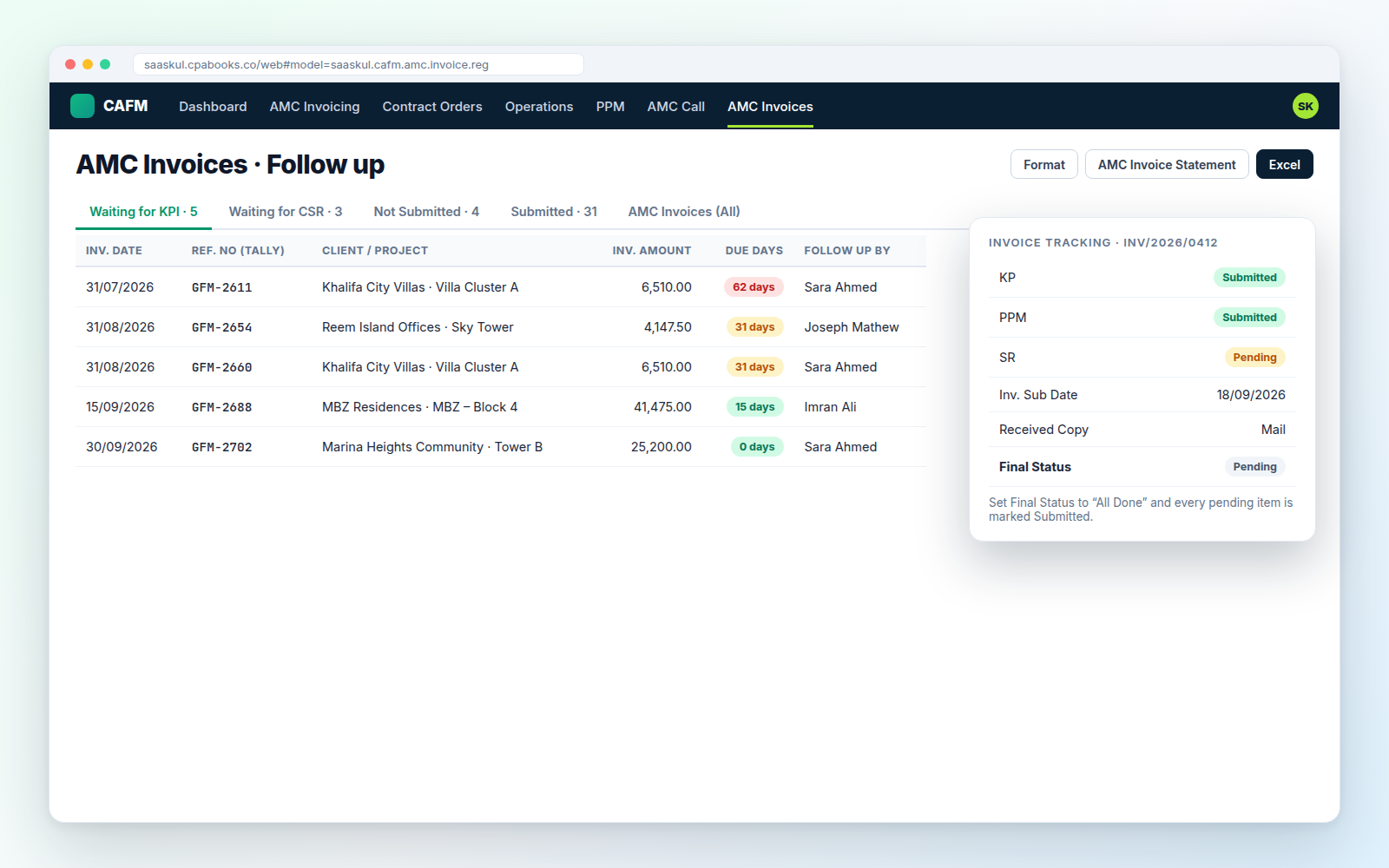
On the invoice itself: KP, PPM and SR status, submission date, who submitted, copy received by Mail or WhatsApp, and a Final Status.
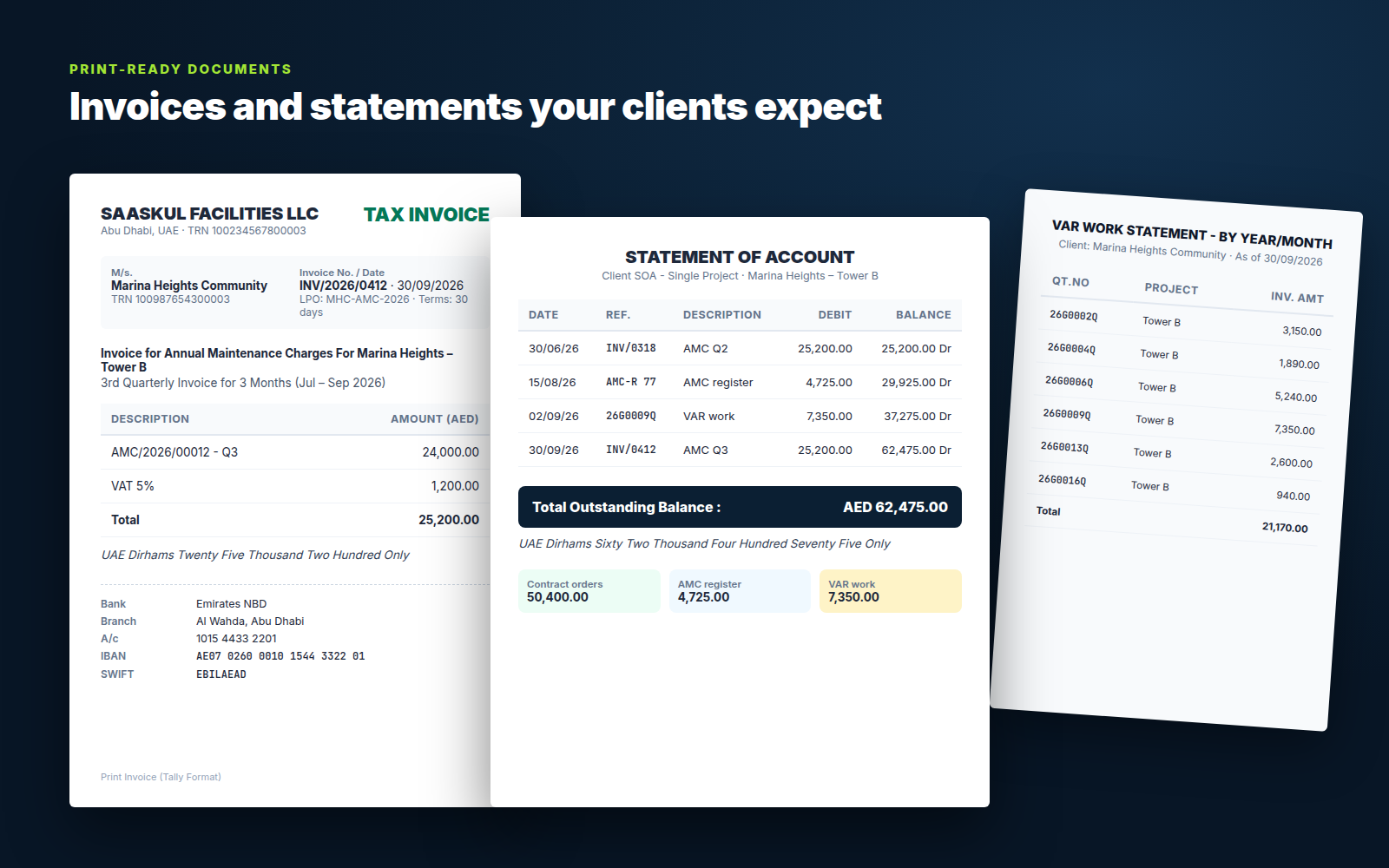
8 PDF reports, 5 Excel / CSV exports
Tax invoices with VAT 5% and amount in words in UAE Dirhams, plus a client statement that combines AMC invoices, the AMC register and VAR work.
The AMC process, step by step
CAFM ships with flow charts, process cycles and an AMC / VAR wizard that opens the right screen for each step.
Spreadsheets and WhatsApp vs Saaskul CAFM
| Sheets & chats | Saaskul CAFM | |
| Which AMC periods are not billed yet | Manual check | ✓ Billing table & overdue list |
| Contracts expiring soon | Found too late | ✓ Expiring AMC (90d) card |
| Status of every service call | Ask the technician | ✓ Work status on each call |
| VAR jobs waiting for LPO | Lost in email | ✓ Own menu with remarks |
| PPM visits done this month | Paper checklist | ✓ Monthly PPM table |
| Client statement | Built by hand | ✓ One-click SOA PDF |
Frequently asked questions
Run your FM office on Saaskul CAFM
Questions, setup help or a custom report? Write to us and we will get back to you.
info.cpabooks@gmail.comname: Facility Management (CAFM) technical name: facility_management_saaskul author: Saaskul category: Services/Facility Management version: Odoo 14 price: Free summary: CAFM, AMC, PPM, projects, units, and facility service calls depends: maintenance, project, mail, account, sale, base_setup, re_sequences_saaskul website: https://saaskul.com support: info.cpabooks@gmail.com license: OPL-1
Saaskul CAFM is published by Saaskul under the Odoo Proprietary License v1.0 (OPL-1) and is free on this app store.
You may use the app on your own Odoo databases. Redistribution or resale is not included.
Requires Saaskul Re-Sequences and the Python package openpyxl.
Support: info.cpabooks@gmail.com · WhatsApp +971 56 256 8128.
Copyright © Saaskul.