

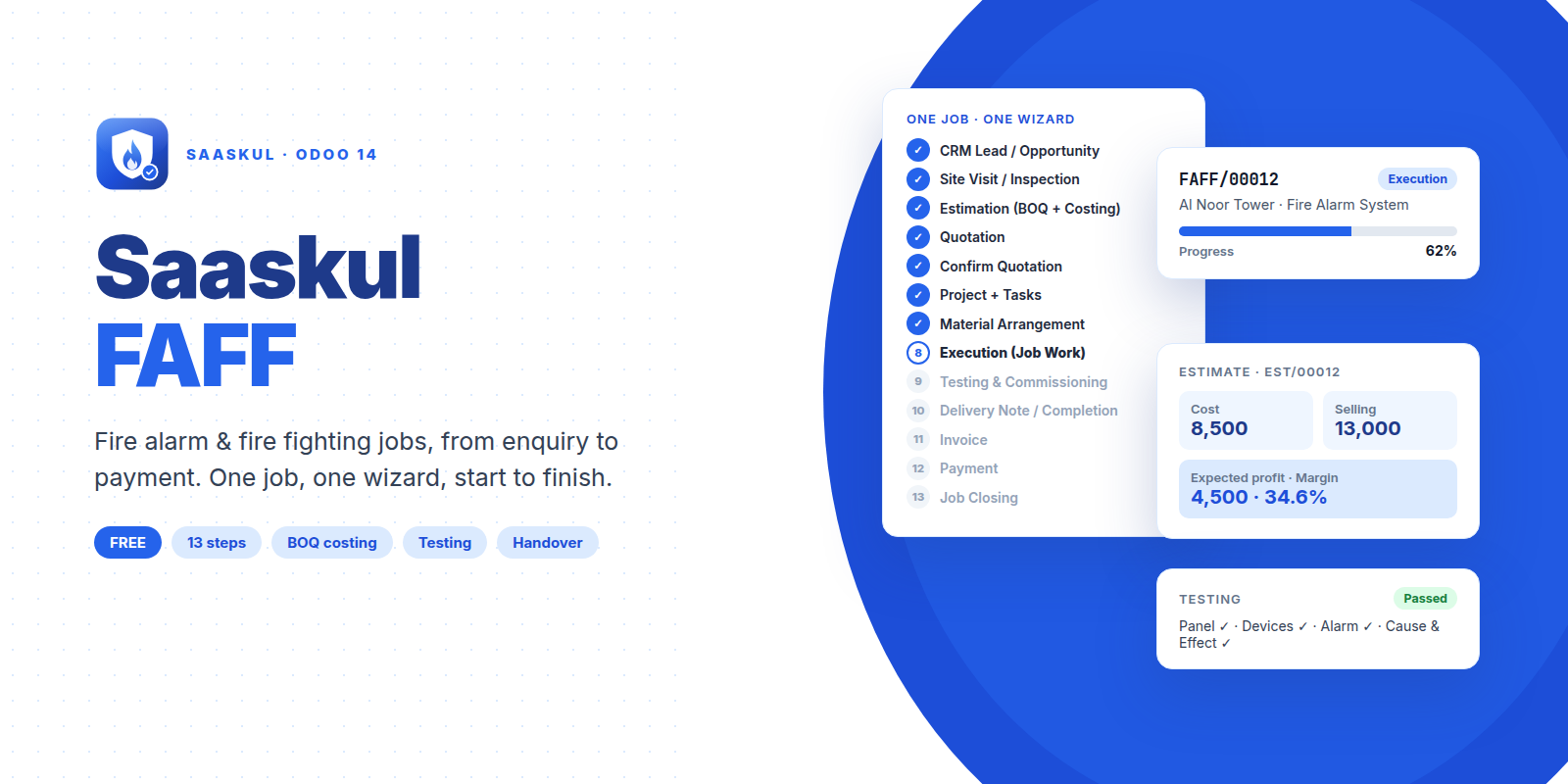
Fire Alarm & Fire Fighting
You bought this module and need support? Click here

Saaskul FAFF
Fire Alarm & Fire Fighting jobs, from enquiry to payment
One job, one wizard, start to finish. Site visit, BOQ estimate, quotation, project, materials, testing, signed handover, invoice and payment, in one guided flow inside Odoo.
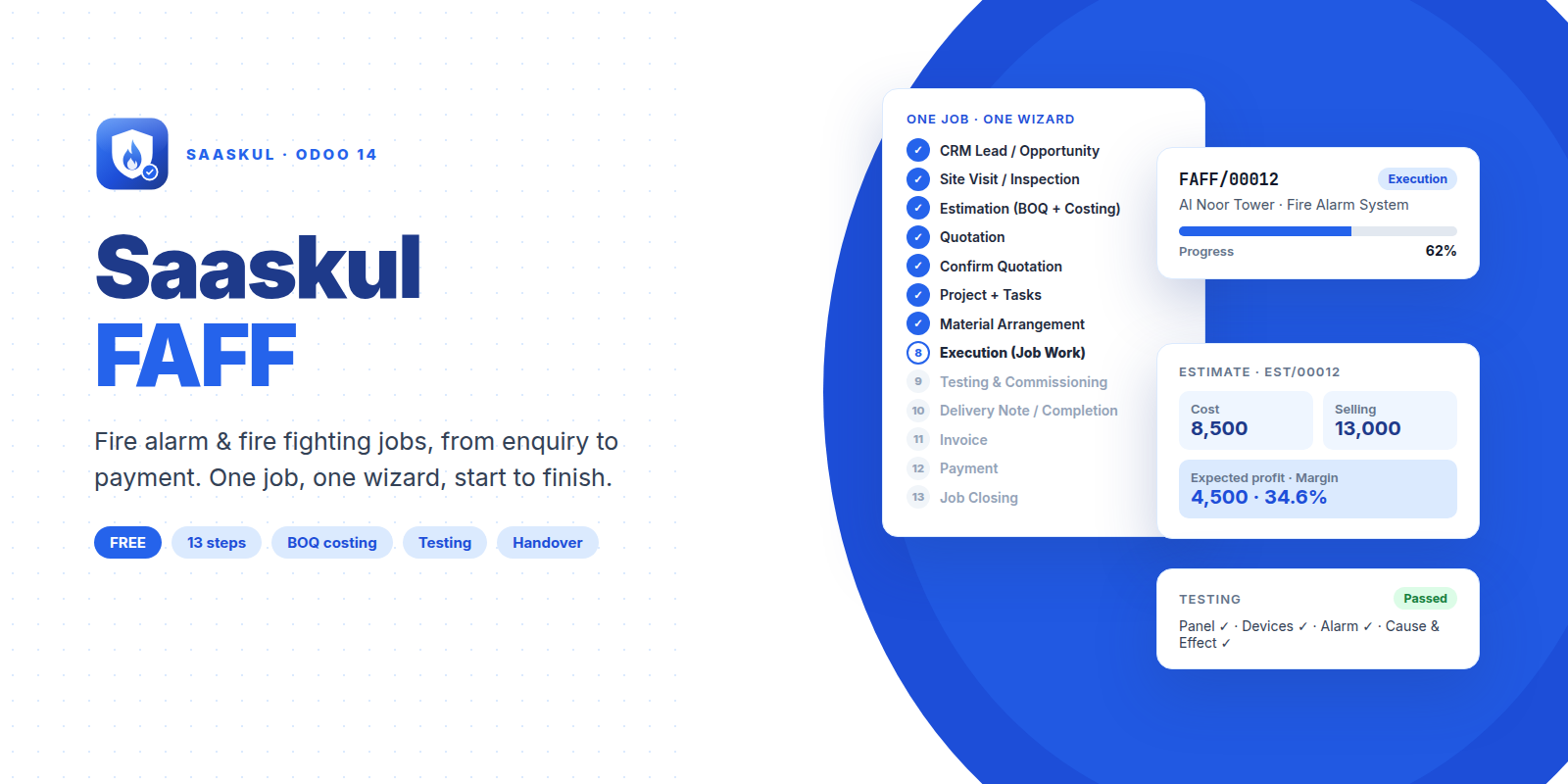
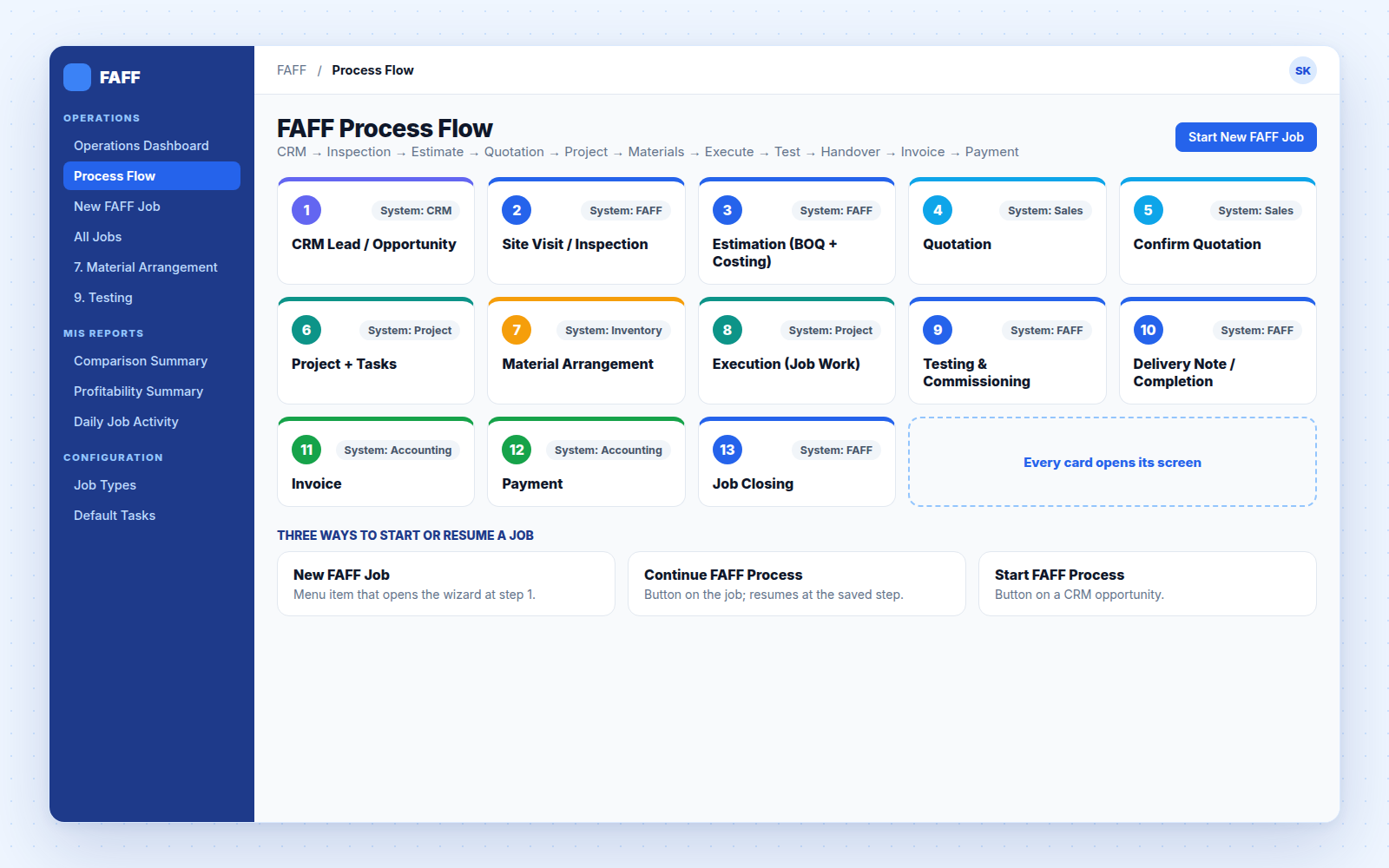
13 steps, each one creates the real Odoo document
No copying between apps. The wizard creates the lead, quotation, project, transfers, invoice and payment for you, and every record links back to the job.
| # | Step | What it does | Odoo app |
| 1 | CRM Lead / Opportunity | Creates the FAFF job and, if you want, a CRM opportunity | CRM |
| 2 | Site Visit / Inspection | Existing system, brand, floors, devices, findings and photos | FAFF |
| 3 | Estimation (BOQ + Costing) | BOQ lines with cost, margin and selling price, then approve | FAFF |
| 4 | Quotation | Sales quotation built from the approved BOQ | Sales |
| 5 | Confirm Quotation | Customer accepts, quotation becomes a sales order | Sales |
| 6 | Project + Tasks | Project with your default tasks and a material plan from the BOQ | Project |
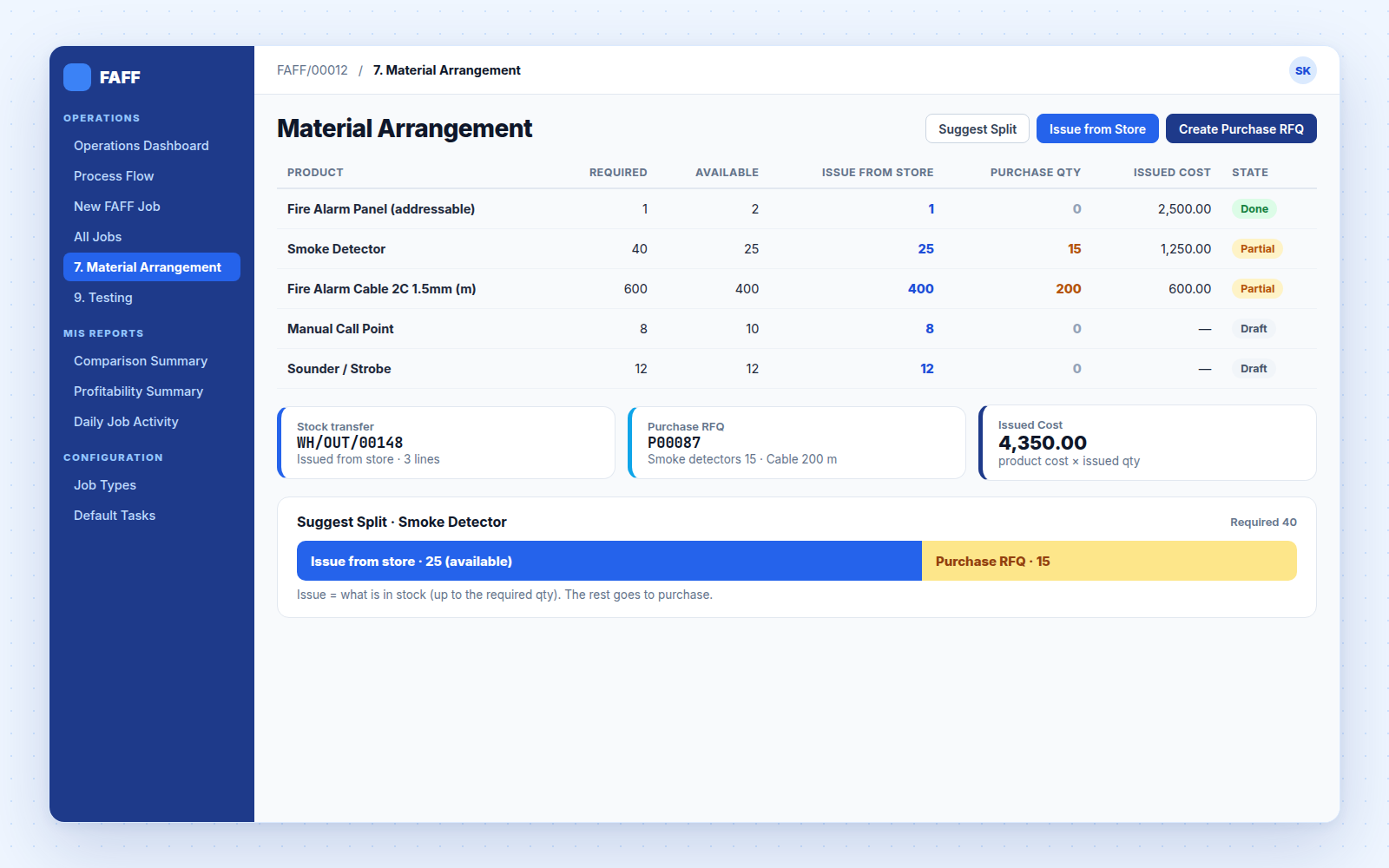
| 7 | Material Arrangement | Split between store issue and purchase, then issue or create RFQ | Inventory |
| 8 | Execution (Job Work) | Tasks with engineer, deadline, hours, progress and photos | Project |
| 9 | Testing & Commissioning | Checklist, system status and rectification task if needed | FAFF |
| 10 | Delivery Note / Completion | Handover note with client signature and PDF print | FAFF |
| 11 | Invoice | Customer invoice from the sales order | Accounting |
| 12 | Payment | Register a full or partial payment | Accounting |
| 13 | Job Closing | Job marked Done once the invoice is paid | FAFF |
Always know where a job is, and what comes next
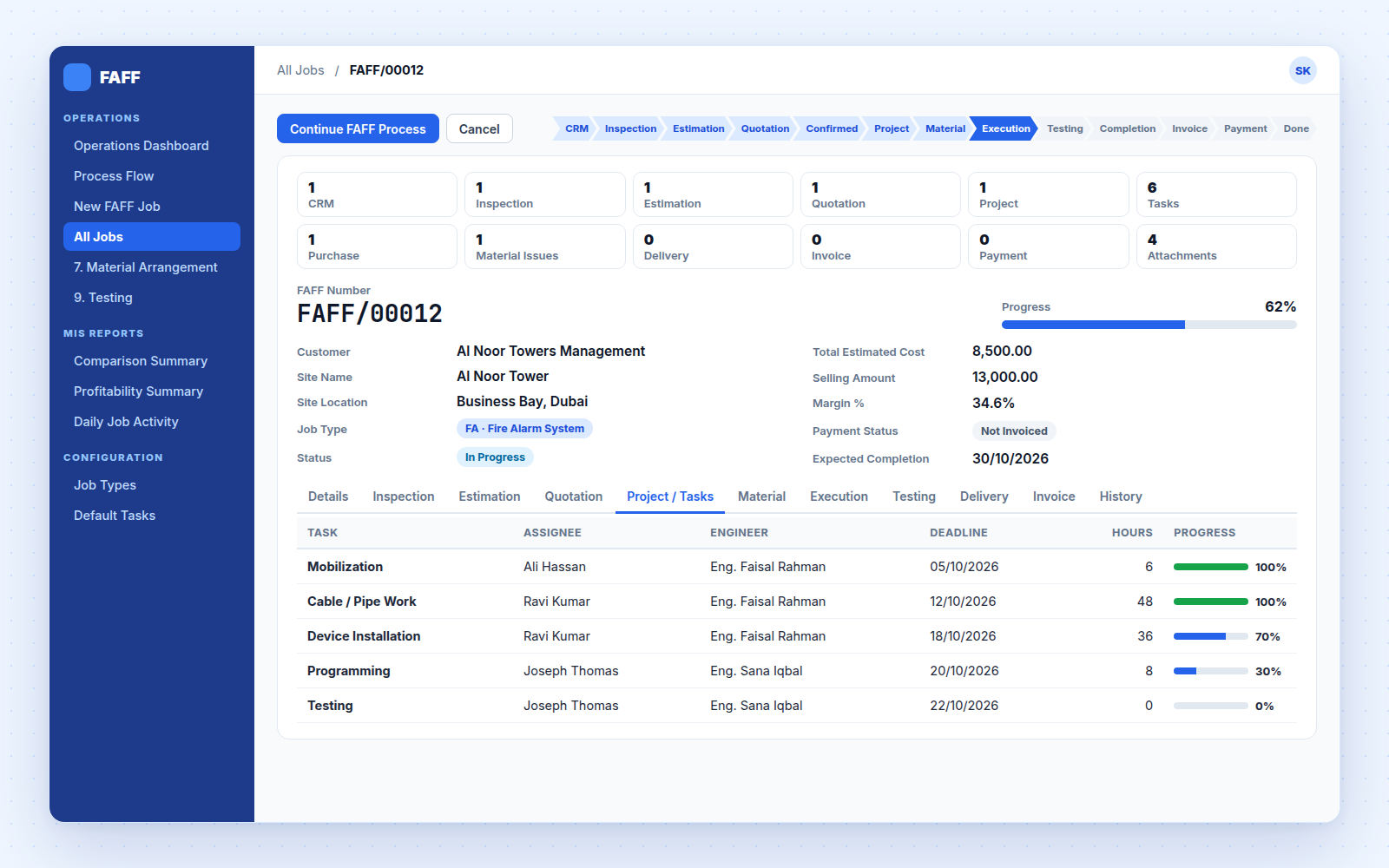
The progress rail shows every step. Save and close at any time, then press Continue FAFF Process on the job to pick up exactly where you left off.
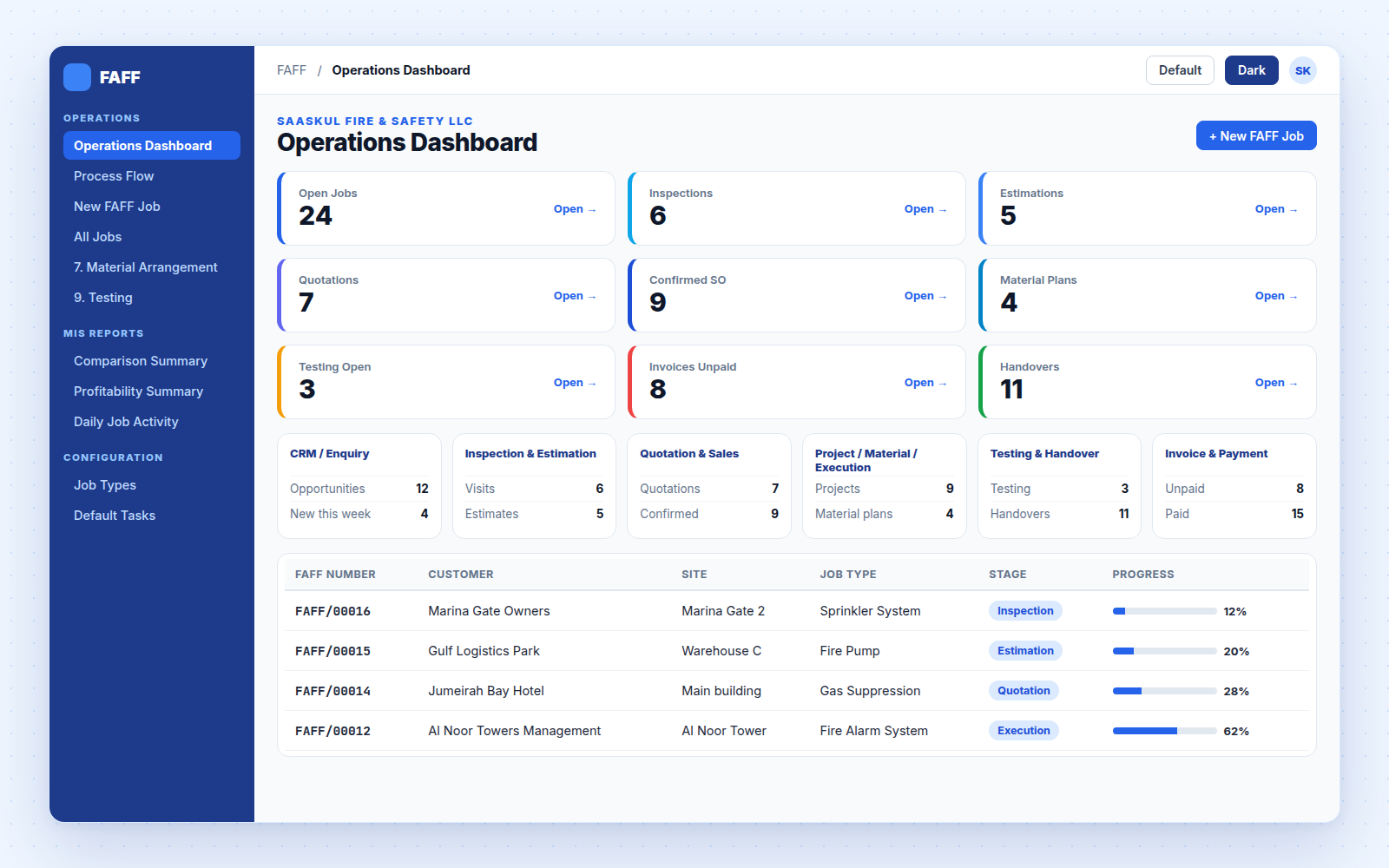
Your whole fire safety operation on two screens
One record that links everything
Numbered FAFF/00012, with a 13-stage status bar, a progress % that follows the task progress during execution, and payment status worked out from the invoices.
Price the job before you quote it
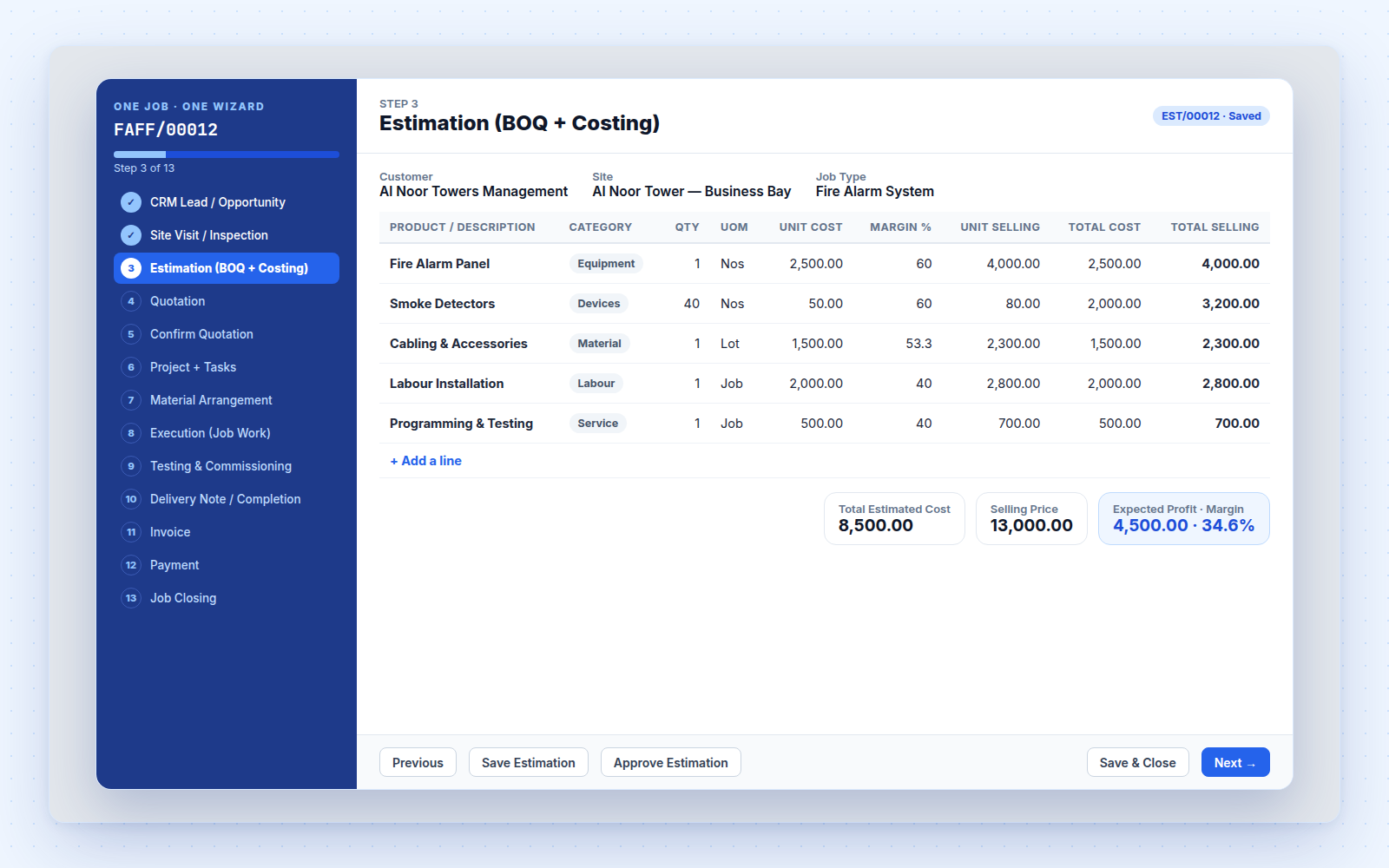
Each BOQ line holds material, labour, equipment, subcontract and other cost. Pick a product and its cost fills in. Set the margin and the selling price follows.
| BOQ line | Qty | Total cost | Total selling |
| Fire Alarm Panel | 1 | 2,500.00 | 4,000.00 |
| Smoke Detectors | 40 | 2,000.00 | 3,200.00 |
| Cabling & Accessories | 1 | 1,500.00 | 2,300.00 |
| Labour Installation | 1 | 2,000.00 | 2,800.00 |
| Programming & Testing | 1 | 500.00 | 700.00 |
| Total | 8,500.00 | 13,000.00 |
Use what is in the store, buy only the rest
Test, record, rectify
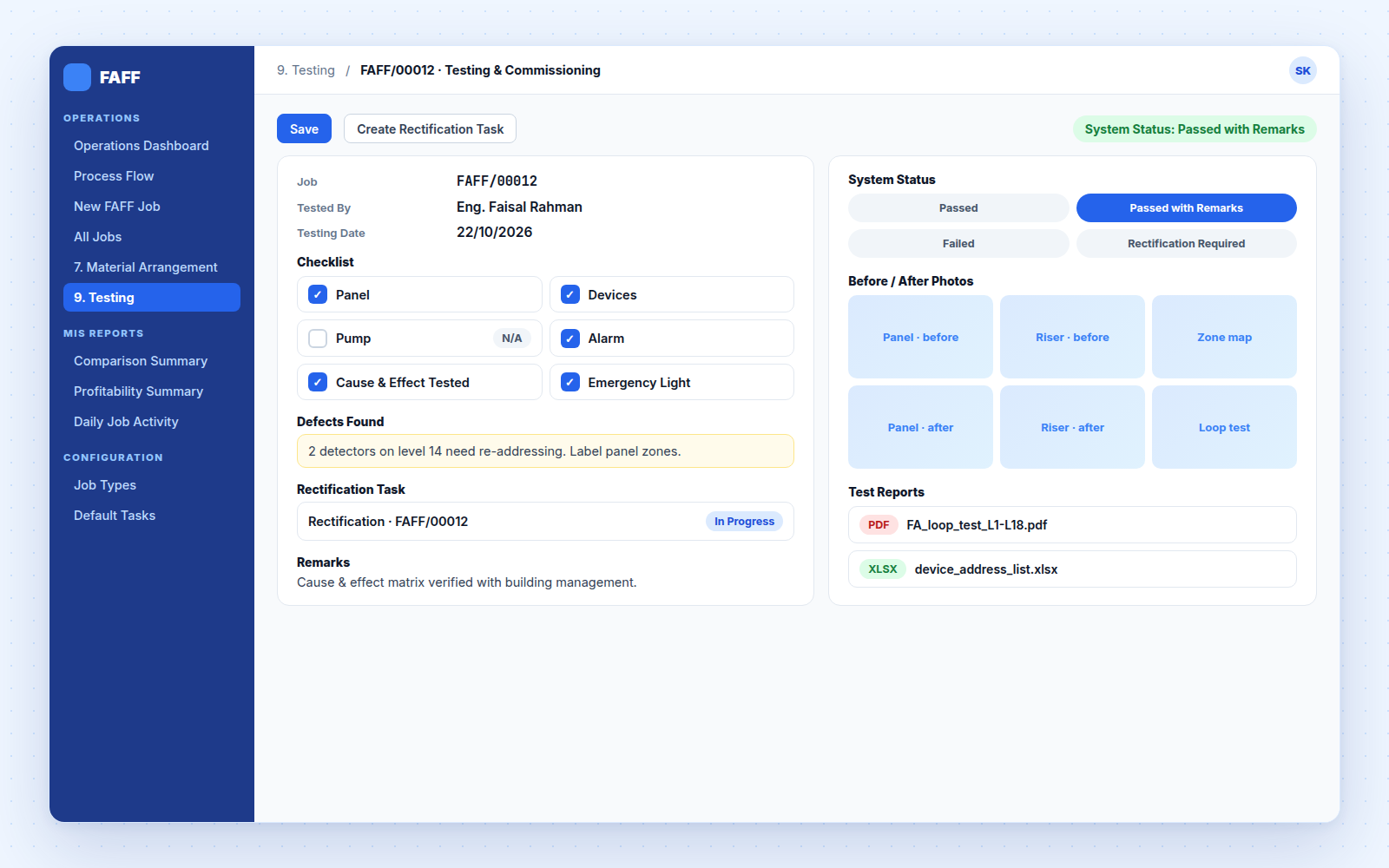
Checklist for panel, devices, pump, alarm, cause & effect and emergency light. Attach test reports and before / after photos.
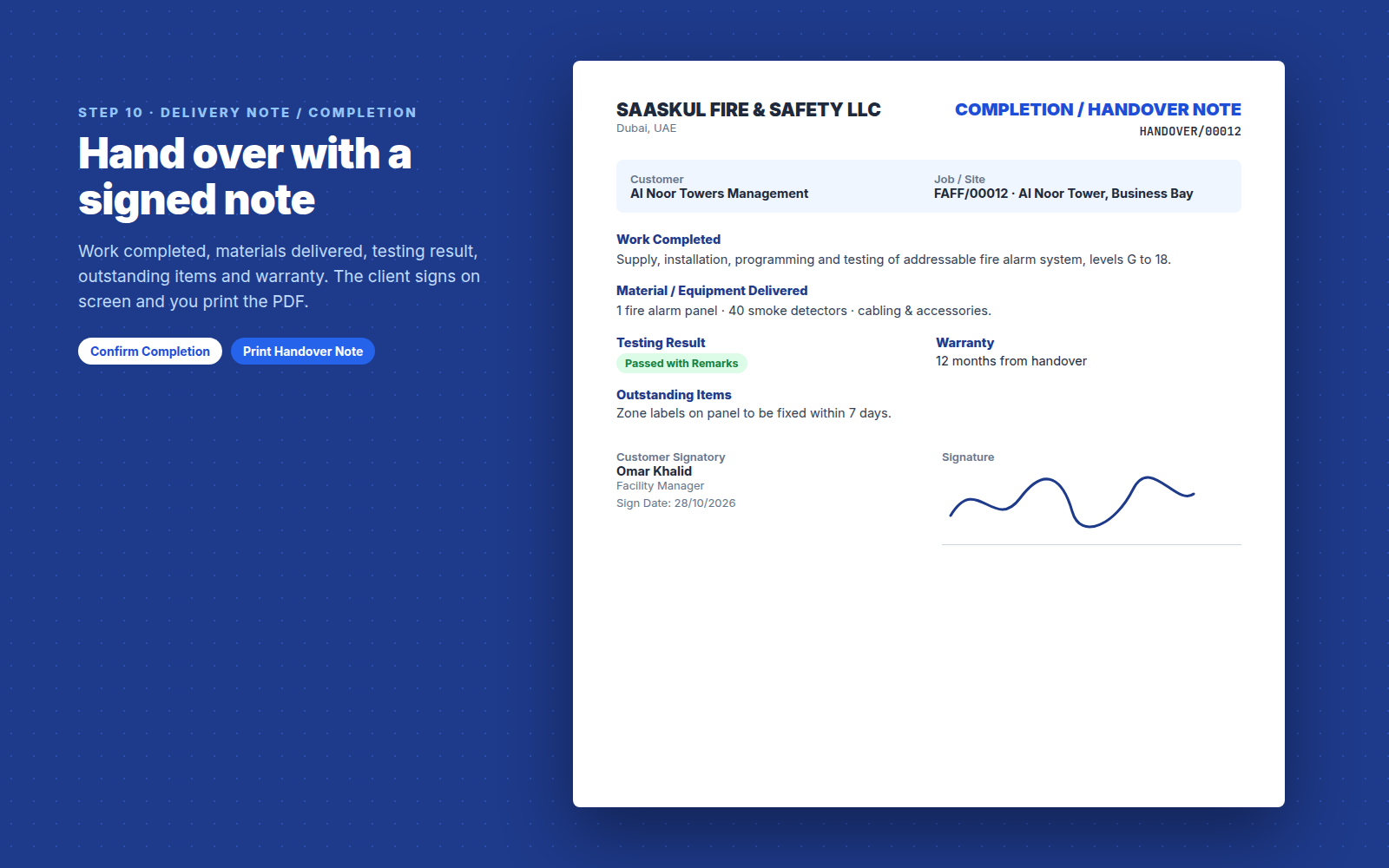
Signed handover, printed as PDF
Work completed, materials delivered, testing result, outstanding items and warranty. The client signs on screen. Completion is blocked while testing has failed or rectification is open (a manager can override).
Get paid, then close the job
Create the invoice from the sales order, register full or partial payment, and the job shows its payment status. A job closes only when its invoice is fully paid, unless a FAFF Manager closes it.
| Not Invoiced | Invoiced | Partially Paid | Paid |
Estimated vs actual, for every job
Estimated cost and selling price come from the approved BOQ. Actual figures come from material issued, purchase orders and invoices.
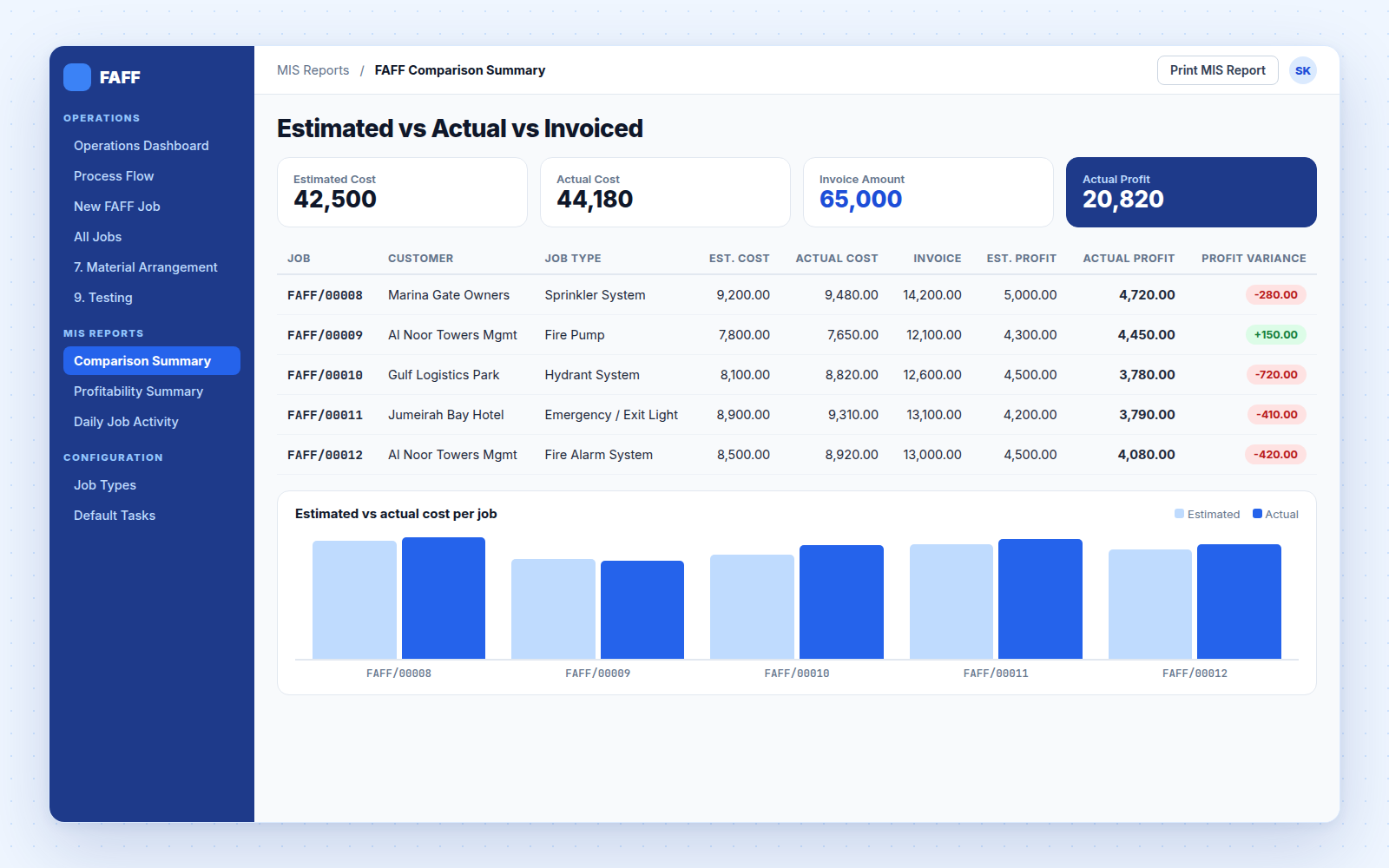
Reports built in
Comparison Summary
Comparison Detail
Daily Activity
Profitability Summary & Detail
Daily Job Activity
Print MIS Report by date, customer, job type
Material requirements & issues
FAFF invoices & purchase orders
Outstanding receivable
13 job types
✓ Material Arrangement
✓ Installation · Cable / Pipe Work
✓ Device Installation · Programming
✓ Testing · Commissioning
✓ Rectification · Client Handover
Questions
Run every fire safety job on one flow
Questions, setup help or a custom report? Write to us and we will get back to you.
name: Fire Alarm & Fire Fighting
technical name: fire_alarm_saaskul
author: Saaskul
category: Services/Fire Safety
version: Odoo 14
price: Free
summary: Fire Alarm & Fire Fighting job management (CRM to Payment)
depends: crm, sale_management, project, purchase, stock, account, mail, hr, re_sequences_saaskul
website: https://saaskul.com
support: info.cpabooks@gmail.com
license: OPL-1
Saaskul FAFF is published by Saaskul under the Odoo Proprietary License v1.0 (OPL-1) and is free on this app store.
You may use the app on your own Odoo databases. Redistribution or resale is not included.
Requires Saaskul Re-Sequences.
Support: info.cpabooks@gmail.com · WhatsApp +971 56 256 8128.
Copyright © Saaskul.